
Keyloggers are hidden surveillance tools that track every keystroke made on the keyboard. They are basically designed to steal or capture passwords, credit card numbers, or other sensitive information that you type on the keyboard. They work anonymously and can be in the form of hardware or software. In this article, we will learn how to remove hidden keyloggers from your PC. Keyloggers can also be installed on your computer through an anonymous browser or website.
Software Keyloggers: Some programs are installed on the target PC, which track all the sensitive information or keystrokes made on the keyboard.
Hardware Keyloggers: They are physical devices that can be inserted anonymously on your PC. They might look like a dongle. They steal information like credit card numbers or website passwords etc.
Ways to Remove Hidden Keyloggers from your PC
1. Using Task Manager to Remove PC Keyloggers
Task Manager is one of the best ways to track and remove hidden keyloggers from your PC. Task manager is utility tool that gives you a detailed overview of the programs and tasks running in the background.
Follow these steps to remove hidden keyloggers from your PC:
- In the first step, Right-click the taskbar in the lower-right section of your Windows screen.
- Select the Task Manager.
- Click More Details in the bottom-left corner to see a list of processes running on your computer.
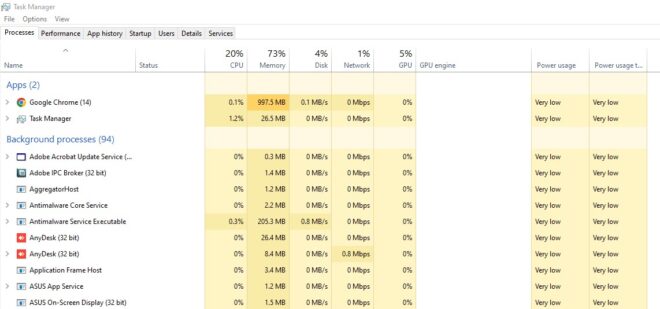
4. If you see any suspicious program in the list click on that program and disable it.
5. Click on the Task and click on the End Task option.
6. Now, click on the Startup tab from the top menu in the Task Manager window to review all startup programs.
7. If you sense any unusual app set to Enabled, type the name of the program in Google search to check if it is a keylogger or not.
8. If you feel any program might be dangerous for your PC quickly click on the Disable option.
2. Clear the Temporary Files
The Temporary files folder is the perfect place for the keyloggers to hide. Temp files are basically the cache files that keeps on piling up whenever you do something on your PC. Normally, the cache files are not harmful to your PC, but some keyloggers can silently hide themselves between these files.
Let us learn how to remove hidden keyloggers from your PC hiding in the Windows temp files:
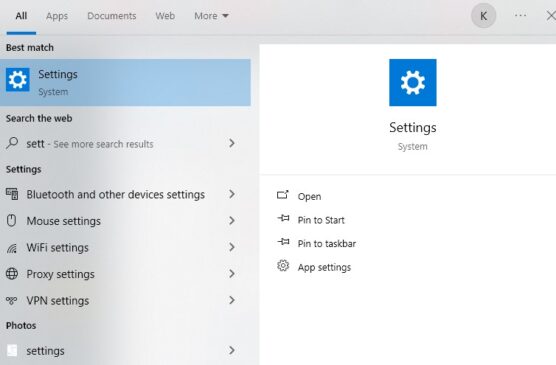
First of all, Click on the the Windows Start menu and select Settings option (the cog icon).
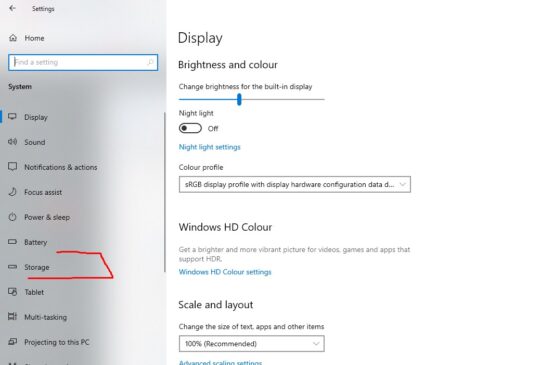
In the Windows settings window, click on the System option.
Look for the Storage option and click on it.
In the next step, click on the Temporary files under the drive where Windows is installed on your PC.
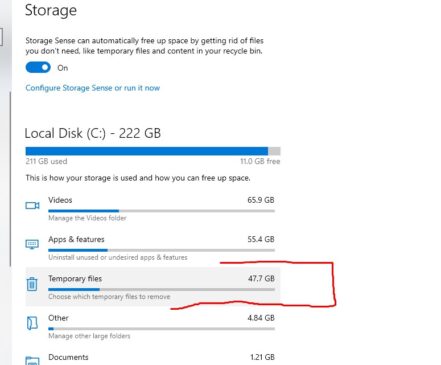
Check the boxes if you wish to remove all the temp files from that folder.
Click on the Remove files button to remove the temporary files from there.
Also Check: Top 15 AI Tools Every Youtuber Must Use
3. Remove Keyloggers through Control Panel
You can also remove the hidden keyloggers from your PC through Control Panel.
Control panel is an area from where you can customize and change the settings of your PC. You can also add or remove programs to your PC.
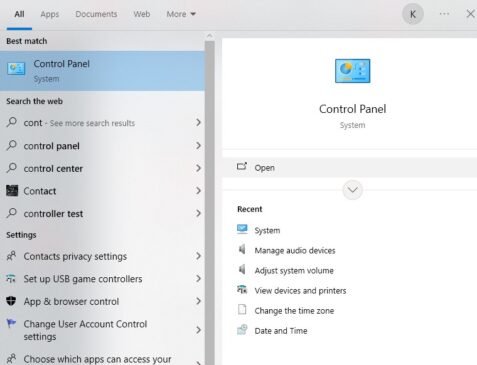
1. Open the Control Panel on your PC by typing Control Panel in the Windows search bar.
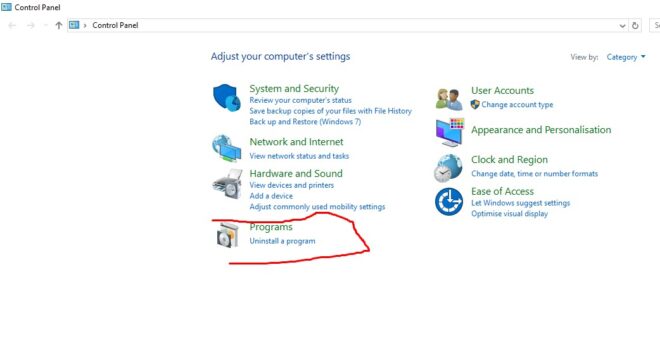
2. In the control panel, look for the option Programs and Features.
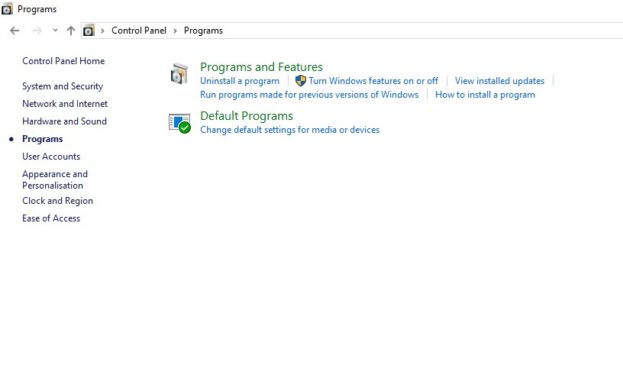
3. Under this section, you can see all the apps and programs installed on your PC.
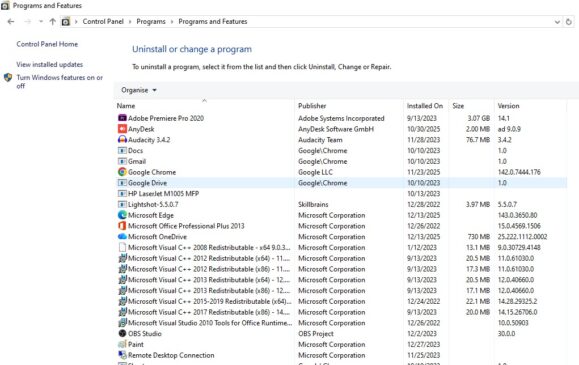
4. If you see any app or program that looks suspicious check for the name of the program on Google search.
5. If the program or app is dangerous, quickly remove the program from your PC by right-clicking on it.
6. After that, press the Uninstall option to uninstall the program from your PC.
Also Check: How to open msconfig tool in Windows 11
4. Reset your PC
Another method to get rid of hidden keyloggers from your PC is to reset your PC. You should try this method in the last only if no other option is left to you.
It will remove all the files and applications you installed on the drive. Ensure that you properly keep a backup before resetting your PC, as it will remove all the files. You should also keep in mind that restoring a backup can again install keyloggers on your PC if the backup files have keyloggers.
To reset your PC, follow the steps given below:
Step 1: Open the Settings window by clicking the settings button
Step 2: Look for the Updates and Security option in the settings window
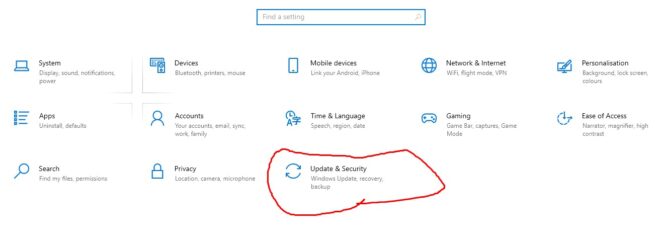
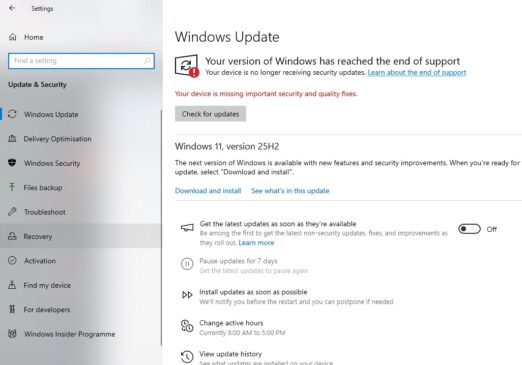
Step 3: In the Update and Security option, click on the Recovery option on the left side.
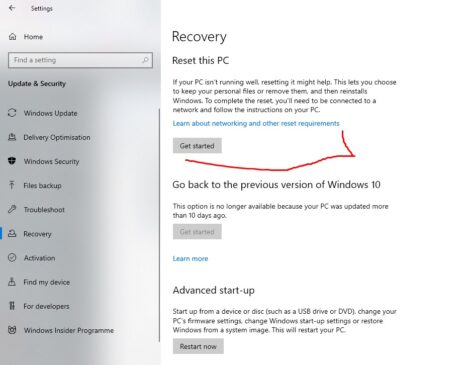
Step 4: Under the recovery option, click on the Get Started button.
So, these were the methods to remove hidden keyloggers from your PC. Stay tuned to TechAdvises for more such Windows tutorials and guides.


Comments are closed, but trackbacks and pingbacks are open.