
Google drive is an online cloud storage service used by almost everyone. It is quite handy and offers around 15GB total space for free to its users. ChatGPT is another online service that has become quite popular among users. Now you can easily connect your Google drive files to ChatGPT for more work productivity.
How to Connect Google Drive to ChatGPT
You can easily connect Google drive with chatgpt using the Plus icon in the chatbox.
1.Login to your OpenAI account. Select ChatGPT.
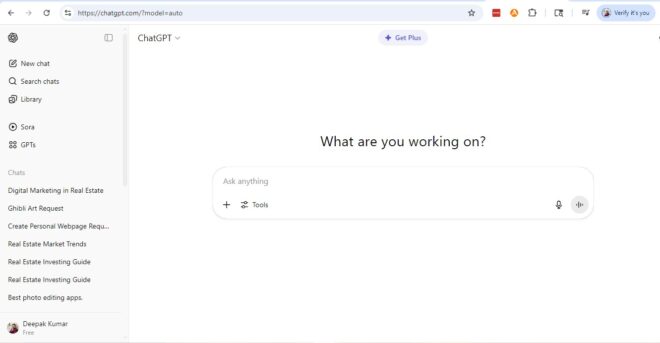
2. When the ChatGPT window opens look for the plus icon in the chat widget.
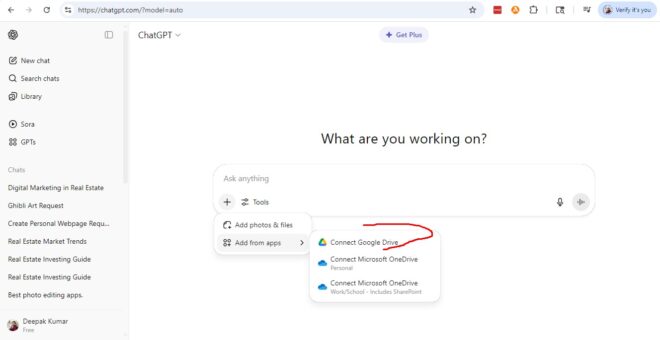
3. Click on Plus icon and select add from apps option >> Then Select Connect Google Drive.
Also Read: How to Add Google Drive to File Explorer in Windows 10
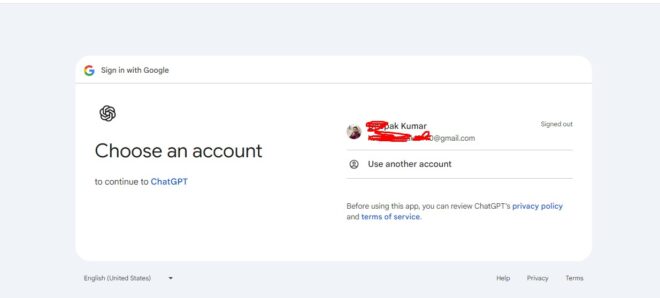
4. Now in the next step you will be asked to choose your Google drive account email to login.
5. Once you connect your Google drive with chatgpt you can access whatever file you want.
How to Disconnect Google Drive from your ChatGPT account
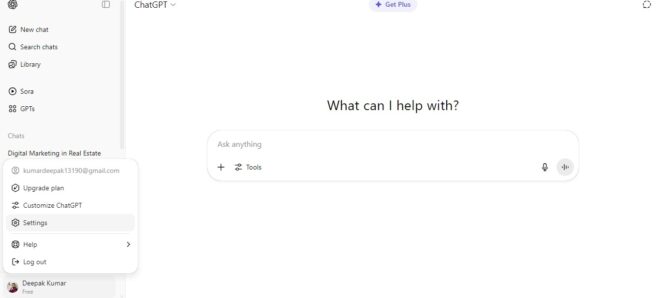
1.To disconnect your Google drive account from ChatGPT click on your profile icon
Also Read: Official ChatGPT for iOS Launched, Download the App
2.Then click on Settings option and look for the connected apps option in the menu.
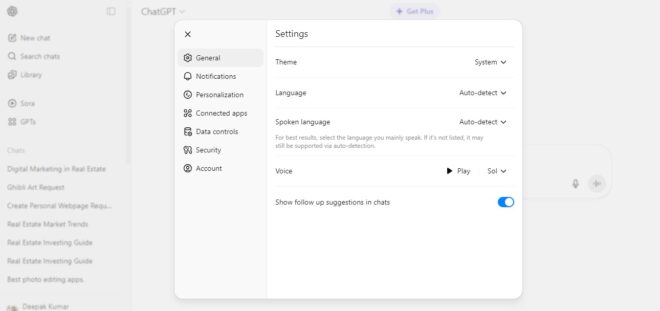
3. Click on the Connected apps option and look for Google drive option. On its right side click on the Disconnect option. This will disconnect your Google Drive account from ChatGPT.
Also Check: How to Enable Dark Mode on Google Drive
Also Check: How to Recover Data from Crashed Hard Drive
So, these were the ways to connect Google drive to ChatGPT. We also explained how to disconnect Google drive from chatGPT. Stay tuned to TechAdvises for more such tech news, updates and tutorials. If you have any queries feel free to ask us through the comments section.

