

Perplexity AI Pro has gained a lot of popularity among users. It allows you to search for information on different topics. You can generate videos, create images, and search the web for your queries and multiple topics.
Perplexity Pro has a Memory feature that remembers details of your conversation. You can be more specific in your search using this feature.
The Memory feature is already present in the Perplexity Pro irrespective of it being a free or paid version. You can check your previous search history and queries. In case the Memory feature is not enabled by default in your Perplexity Pro, you can follow the steps given below.
1. Open Google Chrome or your preferred web browser and log in to your Perplexity AI account.
2. Tap on the Account tab in the left sidebar.
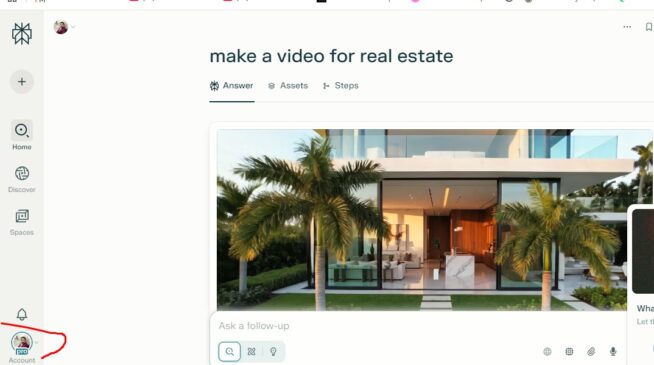
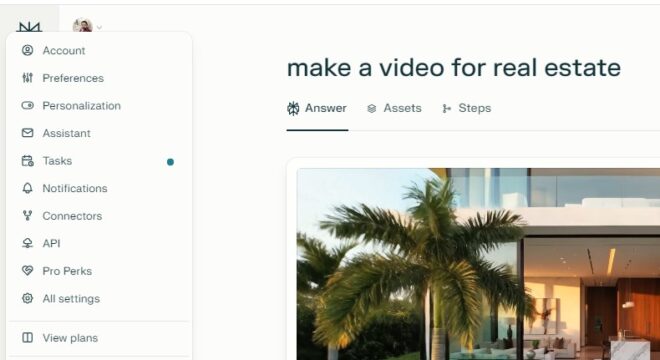
3. On the menu that appears, select Personalization.
4. Scroll to the Memory (Beta) option. Just check whether the two options the ‘Reference search library’ and ‘Reference saved memories’ are enabled or not. If not, toggle them to enable.
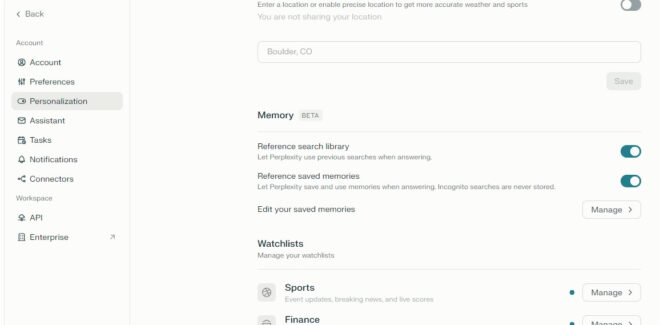
These two options will allow Perplexity to build account memory.
How to View your Perplexity Memories
What is Perplexity Memory
Memory (sometimes referred to as Personal Search) is a Perplexity feature that allows Perplexity to remember details between your conversations, it remembers your search and query history, and makes it more efficient. It remembers your user interaction, behaviour, queries and patterns.
Also check: VanceAI Photo Editor and Image Enhancer
How to Remove Perplexity Memories
Open your Perplexity AI Pro account.
Click on the account option on the left-hand side.
Click on the Personalization option in the menu.
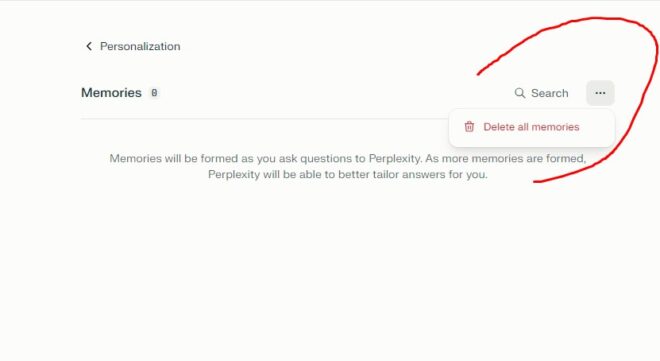
Click the manage button just on the right-hand side of the ‘Edit your saved memories’ option.
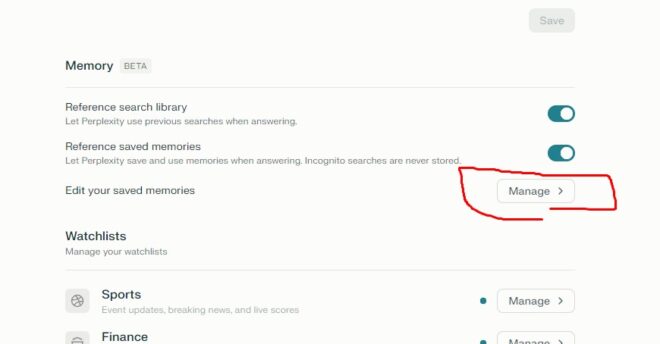
Click on the three dots in the top right corner and click on Delete all memories.
So, we now hope that you have understood how to manage Perplexity Memory. Stay tuned to TechAdvises for the latest tech news, updates, and perplexity tips.


Comments are closed, but trackbacks and pingbacks are open.